So I have to update my #flatpak package every time each of my dependencies get updated? 🤔
flatpak

This is a talk you CANNOT miss! Sebastian Wick, a flatpak maintainer gives reflective view of flatpak and how the world changed after flatpak was released and what the next generation of flatpak and portals will look like!
#flatpak #opensource #linux #opensource


FLOSS #MaintainerLife public service advisory:
If you're filing a potential bug upstream in #GNOME, particularly on rapidly-improving apps like GNOME Calendar, please test the latest version, unmodified by third-parties. #Flatpak helps.
Don't come at me with a 4-years-old version cowboy-patched against our will by #Linux distros like Mint; I will send you downstream, like this: https://gitlab.gnome.org/GNOME/gnome-calendar/-/issues/1526#note_2640160
#FreeSoftware #OpenSource #QA #bugreporting #LinuxMint #Debian #Ubuntu #LTS #GNOMECalendar


The ThinkPad A475 is back to life, this time as Crosshair, running a fresh install of CachyOS.
#CachyOS is intriguing, even though it took some work to get it installed and working. I haven’t played with #Arch since Manjaro borked my installation about a year ago.
CachyOS has no Discover in Plasma, no #Pamac, no #Flatpak. Octopi does packages, and Arch nerds will sniff that it and the AUR are all you need.
I beg to differ.
sudo pacman -S pamac flatpak
Fixed.

Edited 348d ago

@simontatham It's been a looong time since I used #putty (I ran it in a #Wine "bottle", these came from #flatpak, I'm using Debian 13 #KDE). Thanks for all your efforts!
To my mind, 98% of the time, people would use putty to log into a #linux box/VPS, like say a #RaspberryPi (Raspberry Pi OS, is #Debian Trixie 13-based). This would be a sensible default assumption, **demographically**.
It took a good 2 hours of struggling, just to get 256 colors to work in Putty! (#Python's textualize library seriously expects 256, or *it can crash* when the Theme is changed). Please let the defaults be sane, so there's no struggle for 256 colors! Please alleviate my nerd rage - I beseech you!
1) Sane TERM env var:
Connection -> Data -> Terminal details -> Terminal-type string -> "putty-256color"
2) Sane default font:
Window -> Appearance -> Font settings -> "Change" button -> adwaita mono 12
3) Sane bolding of text:
Window -> Colors -> General options for color usage -> Indicate bolded text by changing: The font
4) Sane (Linux-terminal-style) Ctrl + Shift + {C,V} (for copy and paste):
Window -> Selection -> Assign copy/paste actions to clipboard -> Ctrl + Shift + (C,V}: System Clipboard


Edited 269d ago


Edited 153d ago




Explore and manage your applications with GNOME Circle's newest app, Bazaar, the next generation Flatpak store! Thanks Eva and Alexander Vanhee for maintaining Bazaar!
Get it on Flathub: https://flathub.org/en/apps/io.github.kolunmi.Bazaar








“#Flathub is now accepting AI slop”
the Flathub reviewers have blocked over 1,000 slop apps in 2026 alone. that’s half of the verified app count.
close to a quarter of the store could have been ensloppified by now!
if you want to know what a slopnami looks like, just have a look at this link:
https://github.com/flathub/flathub/pulls?q=is%3Apr+state%3Aclosed+label%3A%22AI+Slop%22
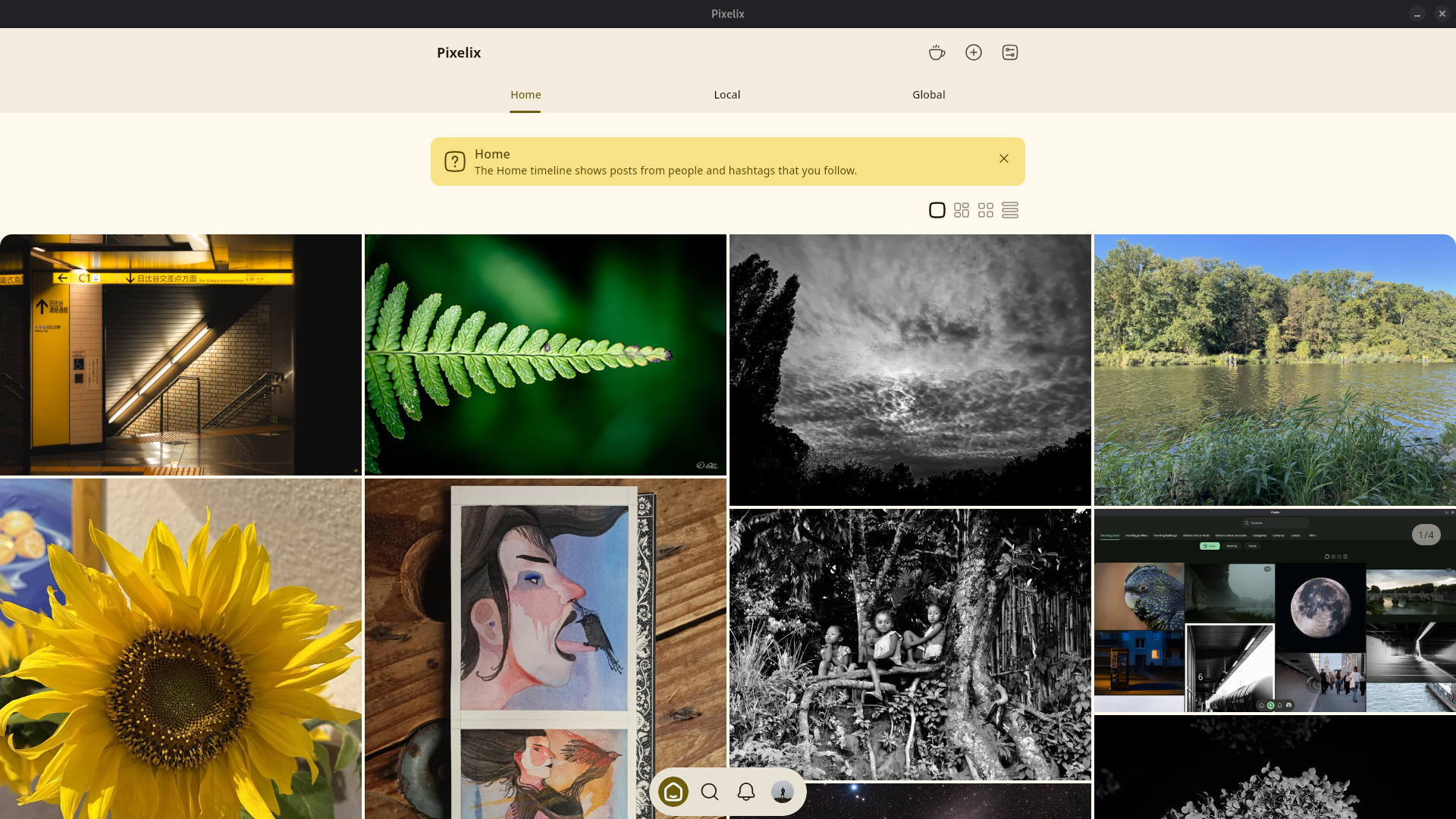
We are making good progress on Desktop support for Pixelix. Today we were able to package the app as Flatpak.
Now we are making the app responsive so it also looks good on larger screens.
Once that is done we will publish Pixelix as Flatpak for Linux and as WebApp.
You can now install #Pixelix on Linux using Flatpak.
https://github.com/ghostbyte-dev/pixelix/releases/tag/v5.2.3-flatpak
We want to submit Pixelix to Flathub soon, in order to make installation even simpler.
Please let us know in the comments what you think and if everything works.