
Wait, why does #suckless use git? It's too bloated and has a runtime configuration language, so it goes straight against suckless principles!
suckless
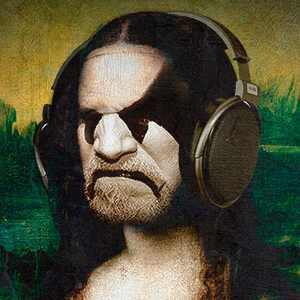
My Alpine install is complete.
Surprising absolutely no one that has known me for a while, I am running dwm.
What an amazing distro. I think I am probably going to move to Alpine full-time.
#alpinelinux #suckless #dwm #blackmetal #altarofplagues #nowplaying


I use dmenu as my main UI, not just dmenu_run.
Super+Space opens a small menu script that launches apps and system actions (WiFi, reboot, shutdown),
all keyboard-driven via sxhkd.
No panel, no mouse menus, WM-agnostic.
#dwm #dmenu #sxhkd #x11 #linux #suckless
Super+Space opens a small menu script that launches apps and system actions (WiFi, reboot, shutdown),
all keyboard-driven via sxhkd.
No panel, no mouse menus, WM-agnostic.
#!/bin/shCurious how many dwm users do something similar vs bars / mouse menus.
ROOT=doas
# Open a terminal (st) with the given title and command
# example: st -t terminal_title -e command
term() {
st -t "$1" -e "${@:2}"
}
choice=$(printf "%s\n" \
"Browser" \
"Terminal" \
"IRC" \
"Mail" \
"PDF" \
"Editor" \
"Files" \
"Mixer" \
"WiFi" \
"Bluetooth" \
"Reboot" \
"Shutdown" |
dmenu -i -l 12 -p "Menu" \
-fn "Iosevka Term-11" \
-nb '#000000' -nf '#ffffff' \
-sb '#005f87' -sf '#ffffff')
case "$choice" in
Browser) firefox ;;
Terminal) term st tmux ;;
IRC) term senpai senpai ;;
Mail) term mutt mutt ;;
PDF) pdf-open.sh ;;
Editor) geany ;;
Files) term fff fff ;;
Mixer) term alsamixer alsamixer ;;
WiFi) term wifitui "$ROOT" wifitui ;;
Bluetooth) blueman-manager ;;
Reboot) "$ROOT" /sbin/reboot ;;
Shutdown) "$ROOT" /sbin/poweroff ;;
esac
#dwm #dmenu #sxhkd #x11 #linux #suckless
Edited 265d ago
Just switched to mtm (Micro Terminal Multiplexer) a suckless-style terminal multiplexer that does ONE thing: split panes. No sessions, no bloat, just ~1000 lines of clean C code.
The codebase is surprisingly readable and well-organized... unlike larger projects where you get lost in abstraction layers, mtm's simplicity makes it an excellent study resource for learning C.
You can actually understand the entire program flow in a reasonable amount of time.
Bonus: there's already a SlackBuild available, so Slackware users can integrate it seamlessly into their system without manual compilation headaches.
If you want tmux functionality without tmux complexity, check it out.
https://slackbuilds.org/repository/15.0/system/mtm/
#suckless #terminal #slackware #C
The codebase is surprisingly readable and well-organized... unlike larger projects where you get lost in abstraction layers, mtm's simplicity makes it an excellent study resource for learning C.
You can actually understand the entire program flow in a reasonable amount of time.
Bonus: there's already a SlackBuild available, so Slackware users can integrate it seamlessly into their system without manual compilation headaches.
If you want tmux functionality without tmux complexity, check it out.
https://slackbuilds.org/repository/15.0/system/mtm/
#suckless #terminal #slackware #C
Are you familiar with dwm's powerful tag feature?
THE TAGGING MODEL
Many desktop environments organize windows using rigid workspaces:
dwm uses a different model, treating workspaces as bitmask labels (tags).
This allows a single window instance to hold multiple tags simultaneously,
acting as a persistent visual anchor across different contexts:
switch to Tag 2, the browser disappears, but the exact same log window
remains on screen, now sharing space with your text editor.
The application is never duplicated or restarted in memory.
The UI remains minimal while enabling workflows that are difficult to
express using traditional workspace-oriented desktops.
Two decades later, this tagging model remains one of the most
distinctive features of dwm.
#suckless #dwm #unix #linux #sysadmin
THE TAGGING MODEL
Many desktop environments organize windows using rigid workspaces:
Workspace 1A window belongs to a single workspace.
Workspace 2
Workspace 3
dwm uses a different model, treating workspaces as bitmask labels (tags).
This allows a single window instance to hold multiple tags simultaneously,
acting as a persistent visual anchor across different contexts:
Firefox -> Tag 1 (Web Browsing)When you view Tag 1, you see your browser and the log monitor. When you
st (nvi/dev) -> Tag 2 (Code/Scripts)
st (Monitor/Logs) -> Tag 1 + Tag 2 (Persistent)
switch to Tag 2, the browser disappears, but the exact same log window
remains on screen, now sharing space with your text editor.
The application is never duplicated or restarted in memory.
The UI remains minimal while enabling workflows that are difficult to
express using traditional workspace-oriented desktops.
Two decades later, this tagging model remains one of the most
distinctive features of dwm.
#suckless #dwm #unix #linux #sysadmin
dwm 6.8 dropped on Jan 30 and this one deserves attention.
Less than a month after 6.7, suckless pushed a security fix and bumped
the version. That's pretty rare for dwm.
If you noticed Telegram's image previews shaking in 6.7, that's why
a wrong return value check broke atom property reading entirely.
Patch: https://git.suckless.org/dwm/commit/a9aa0d8ffbb548b0b1f9f755557aef2482c0f820.html
Six lines changed.
Update your build.
#dwm #suckless #security #linux
Less than a month after 6.7, suckless pushed a security fix and bumped
the version. That's pretty rare for dwm.
If you noticed Telegram's image previews shaking in 6.7, that's why
a wrong return value check broke atom property reading entirely.
Patch: https://git.suckless.org/dwm/commit/a9aa0d8ffbb548b0b1f9f755557aef2482c0f820.html
Six lines changed.
Update your build.
#dwm #suckless #security #linux
Edited 253d ago